DocsAgents
Connect ChatGPTPro
Let Hermes think with your own ChatGPT plan. It takes a few minutes and a one-time code.
On Pro, Hime gives you Hermes: your own agent, with a computer in the cloud. It keeps working when your phone is off.
Hermes needs a model to think with, and it uses your own AI account. If you have a ChatGPT plan, you can connect it in a few taps. We don’t charge for the model. ChatGPT bills you as it always does.
You sign in with a one-time code on OpenAI’s own page. Hime never sees your password.
Connect ChatGPT
Open Your Agent
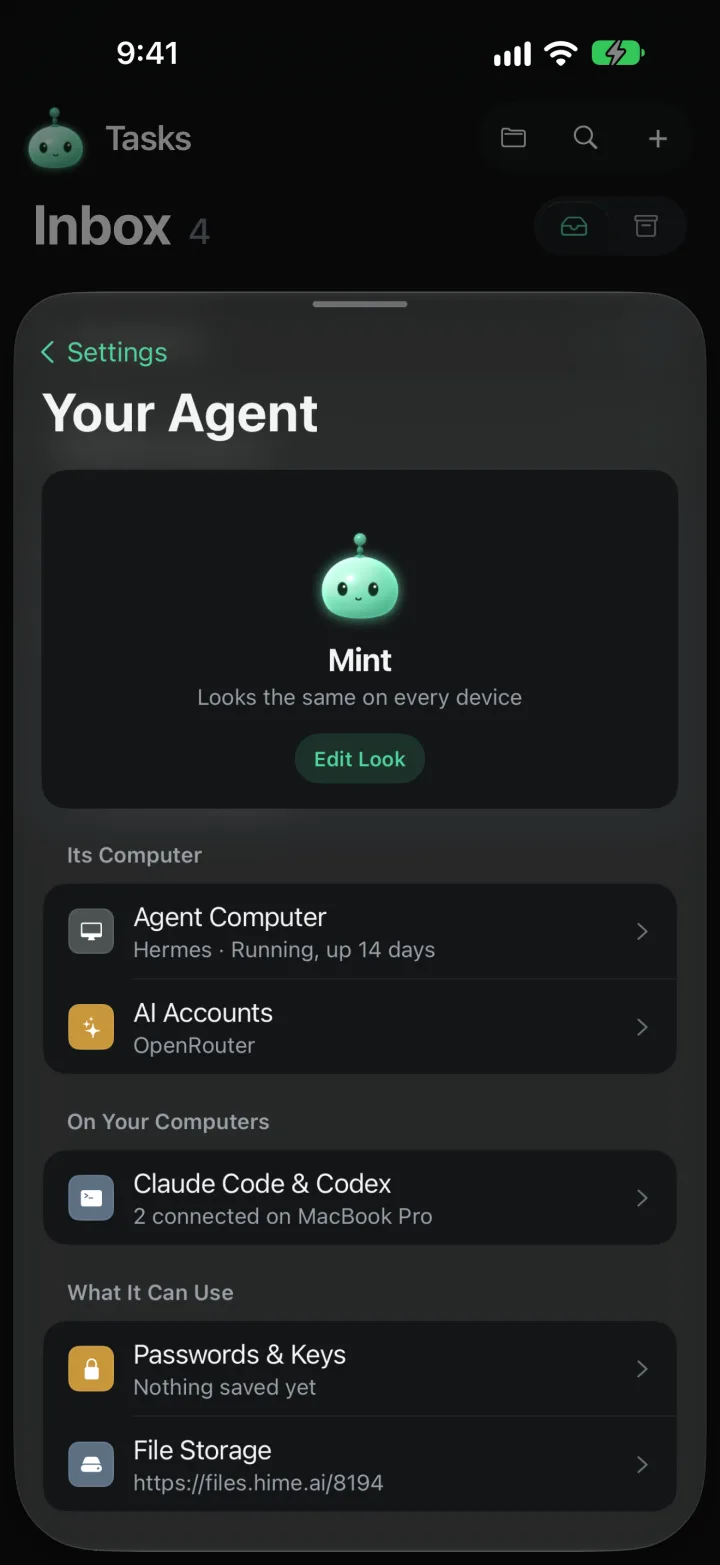
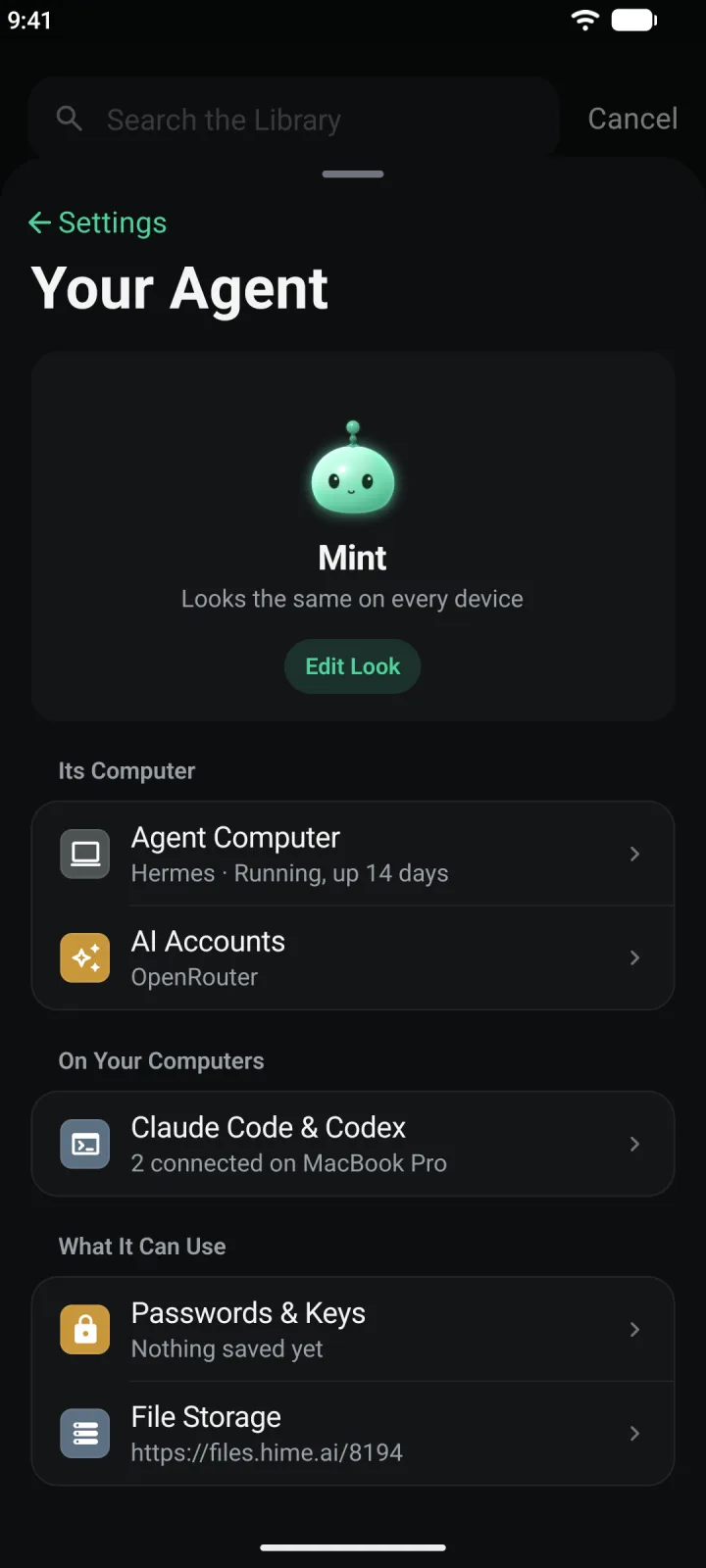
Press and hold the mascot at the top left to open Settings, then tap Your Agent. (A plain tap opens Chat.)
Open AI Accounts
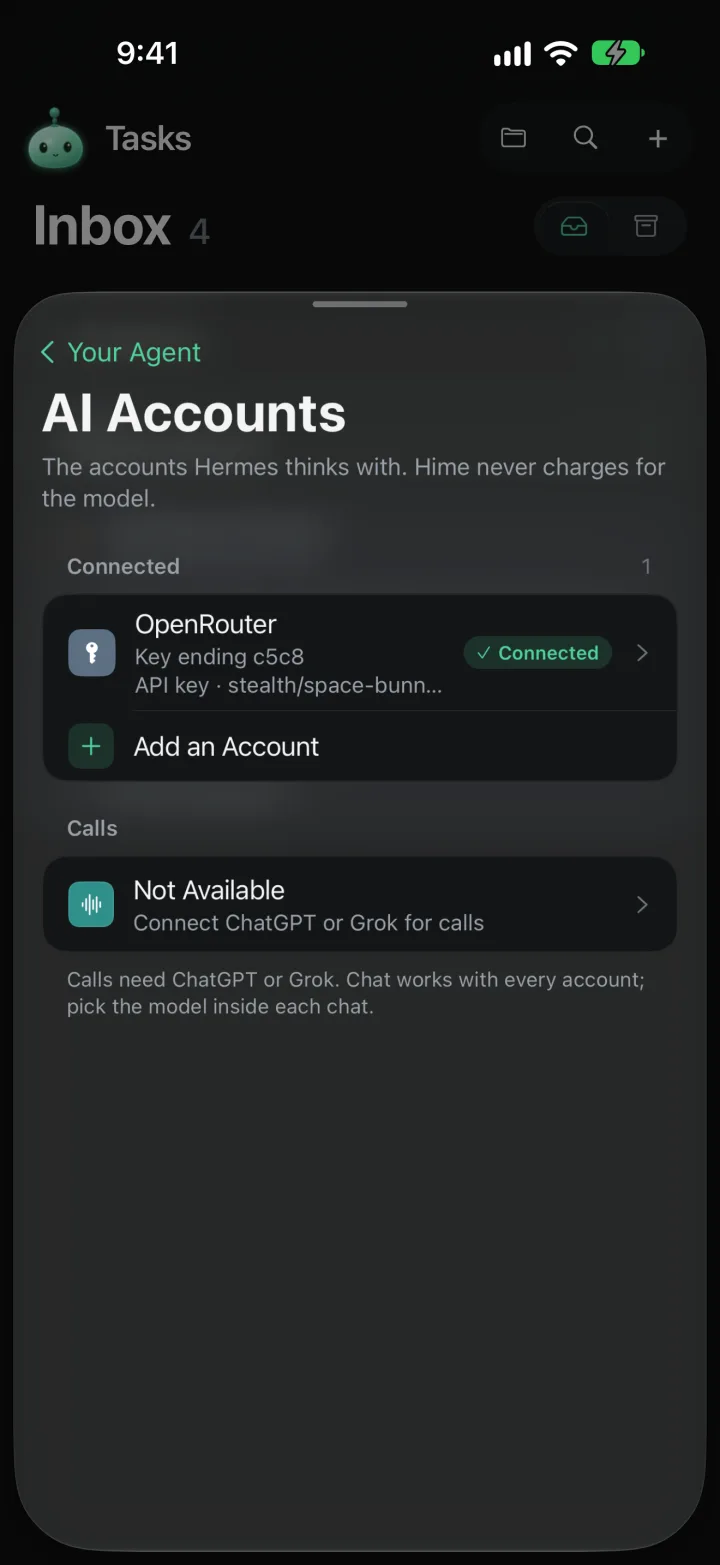
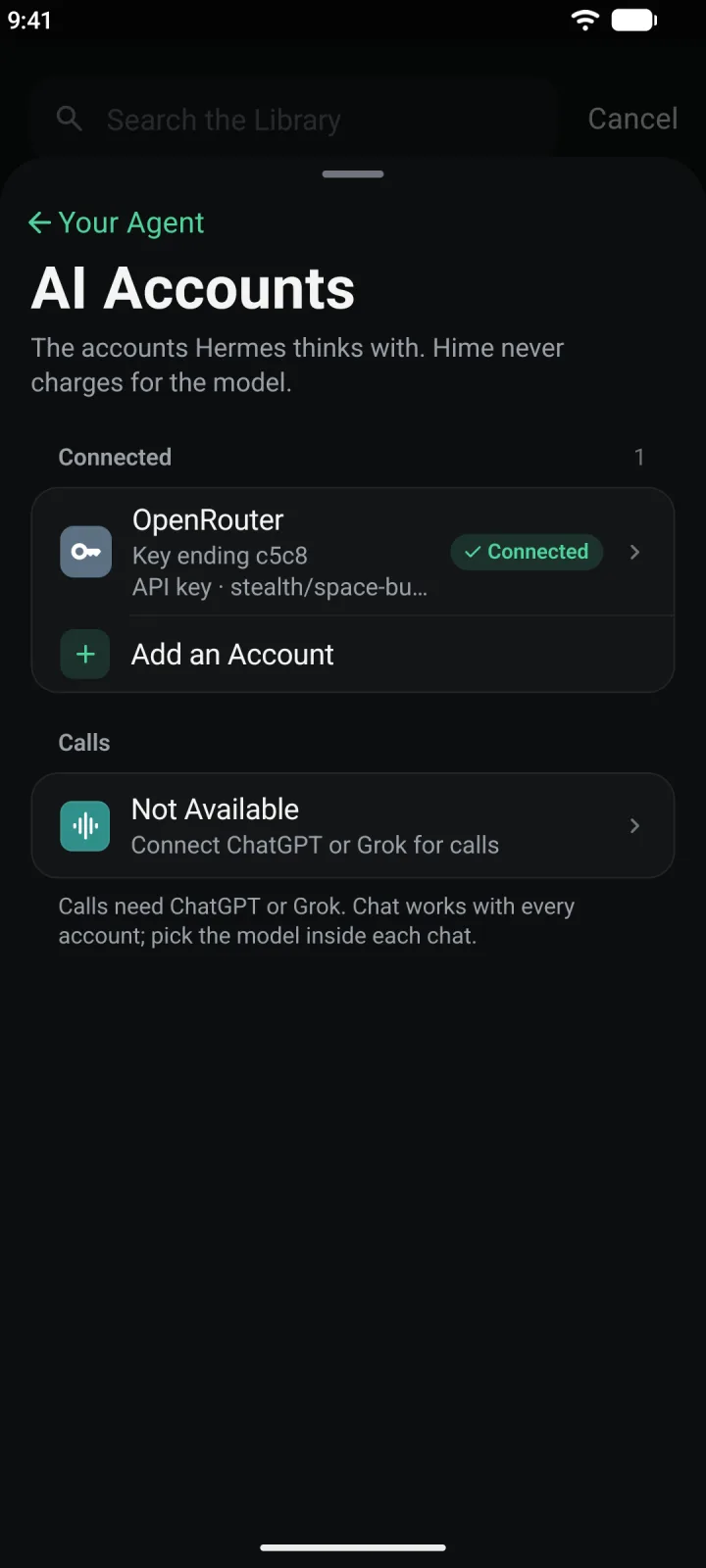
Under Its Computer, tap AI Accounts. This is where Hermes keeps the accounts it thinks with.
Tap Add an Account. If it is greyed out, Hermes is still setting up. Wait for the notification, then try again.
Pick ChatGPT
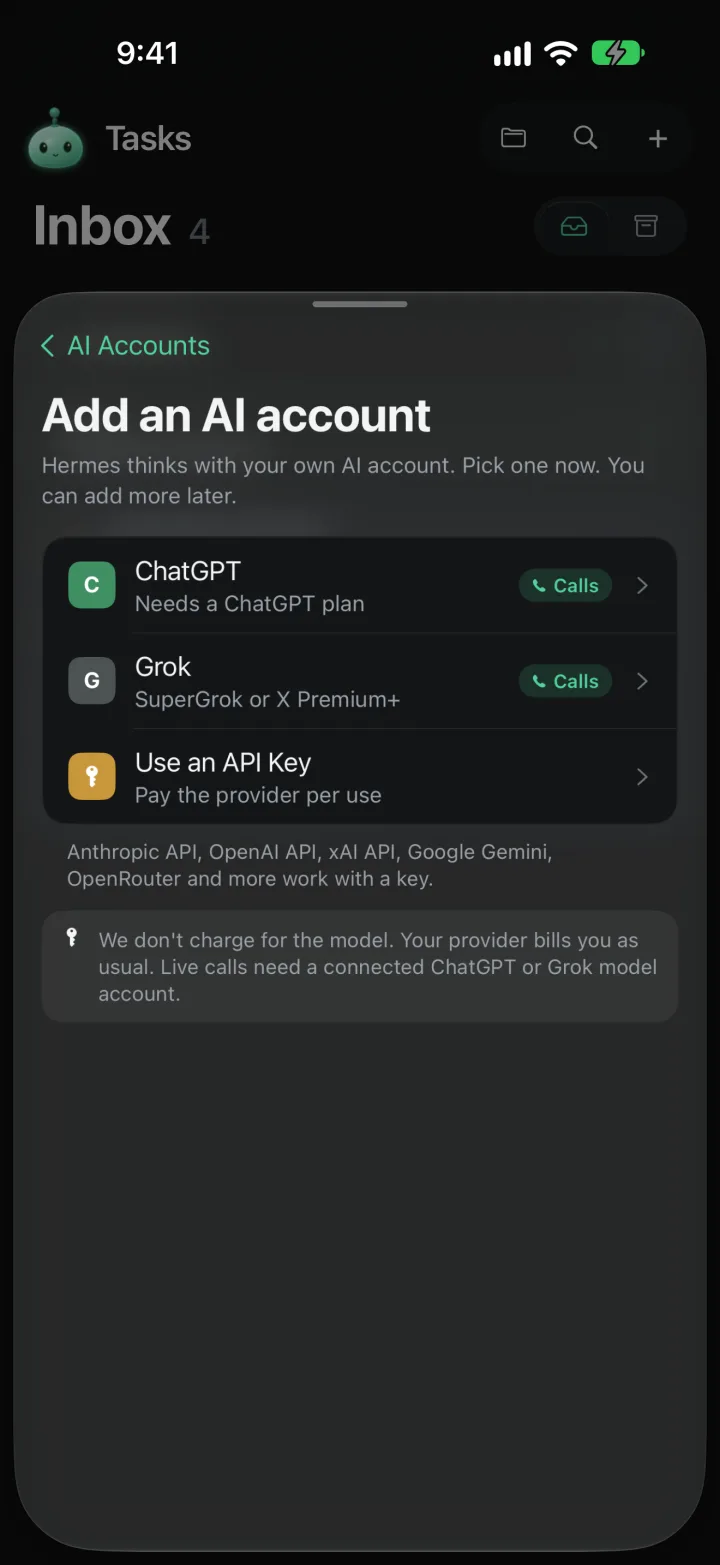
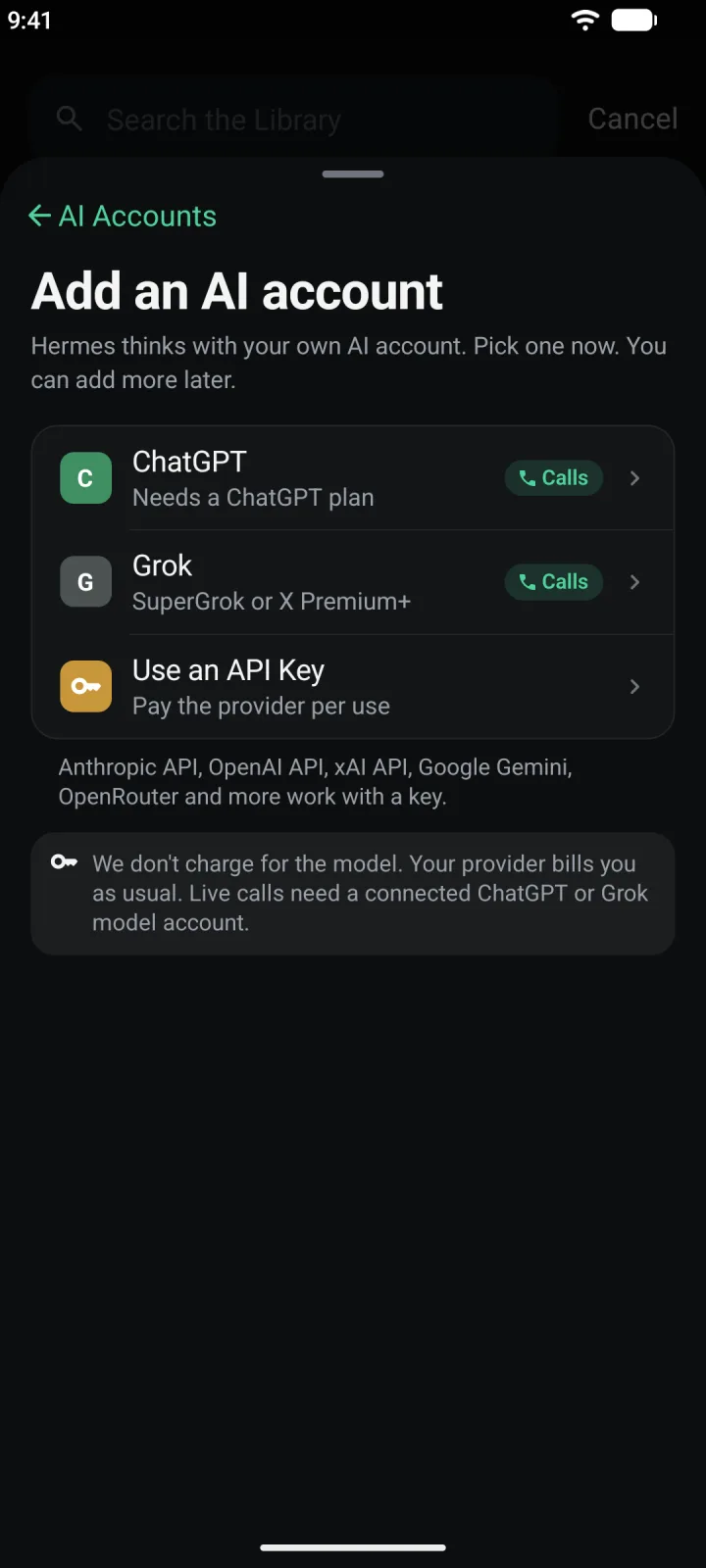
The next screen is Add an AI account. It says “Hermes thinks with your own AI account.”
Tap ChatGPT. It is marked Needs a ChatGPT plan, so you need a ChatGPT subscription first. The Calls tag means this account can also power live calls.
Copy the code
The app asks ChatGPT for a code. For a moment you will see “Getting a code from ChatGPT…”, then the code appears in boxes.
Tap Copy code. Then tap Open auth.openai.com at the bottom. Your browser opens OpenAI’s page.
The code runs out after a few minutes. The countdown under it says “Waiting for you to approve · expires in” and the time left.
Enter the code on OpenAI's page
Sign in with your ChatGPT account if OpenAI asks. Paste the code into the box and continue.
OpenAI may then ask whether to allow access to your ChatGPT account. Allow it, then go back to Hime.
OpenAI writes and changes these pages, so what you see may look a little different from the drawings here.
Wait for the confirmation
Back in Hime, the screen changes by itself to “ChatGPT is connected”. You do not need to type anything.
It lists the Method, the Account and whether Calls are supported. Tap Done. During first-time setup the button says Continue instead.
Back on AI Accounts, ChatGPT is now listed under Connected. Hermes uses it for its next chat.
On the web app the same sign-in is in your plan settings. Choose Connect a model account, or Add another if you already have one.
Talk to Hermes with your voice
Live calls with Hermes need a connected ChatGPT or Grok account. Once ChatGPT is connected, AI Accounts shows Calls Use ChatGPT under Calls.
Before you connect one, that row reads Not Available with “Connect ChatGPT or Grok for calls”. Tap it to start the ChatGPT sign-in.
Chat works with every account. Calls are the only thing that need ChatGPT or Grok.
Other accounts
You can add more than one account. Tap Add an Account again.
- Grok needs SuperGrok or X Premium+. It signs in with a code, like ChatGPT, and also works for calls.
- Claude needs Claude Pro or Max. You sign in on claude.ai, then paste back the code it shows. It appears in the list only when it is switched on for your account.
- Use an API Key lets you pay a provider per use. Anthropic, OpenAI, xAI, Google Gemini, OpenRouter and more work with a key.
If something goes wrong
If the sign-in fails, the screen shows a message and a Get a new code button. Tap it to start over with a fresh code. Pick another provider goes back to the list.
- The code expired. You took too long. Get a new code and enter it sooner.
- ChatGPT said no. The sign-in was declined on OpenAI’s page. Try again, or pick another provider.
- Couldn’t connect. Something went wrong on the agent computer. Try again, or pick another provider.
If a connected account stops working later, AI Accounts shows Reconnect beside it. Tap it and sign in again.
Disconnect
Open AI Accounts, then tap ChatGPT. This page shows the account and the Default Model that new chats start on.
Tap Disconnect ChatGPT…, then Disconnect to confirm. Hermes stops using your account. You can connect it again any time.